
More Feedback
Thank you for all the feedback on the new Beta site! We have been working hard on fixing the bugs in the last few days. Here is what we have done so far:
- the PM's have been restored -the color of the unanswered questions are back to being red
- Less spacing
- slightly darker backgrounds on the comments
- Fixed the "Enter" bug on the grammar section
- Moved the info about a post below the text
- Autofill the name and email on the Feedback form if you are logged in
- Hide the Feedback tab on smaller screens so that it doesn't overlap with the text
- Make unread message bold
- Fixed the discrepancy in the join dates on new user profiles
We are opening a new thread to get comments that reflect the latest changes. Now that you have had some more time to use the site, tell us what you think of the newest changes. You can send us feedback by clicking the red feedback bar or responding to this post.
38 Answers
Lovely said:
Being someone who doesn't have any kind of problems in the eye, for some reasons looking at the name of the poster in the Questions & Answers page hurts my eyes a lot!
I can't put my finger on exactly what factor or combination of factors may be causing this, but the new layout also seems to cause a bit of visual discomfort for me as well. I know that the idea was to update the look of SD and make it more visually appealing; however, I think that the combination/use of colors—especially the increased use of the light blue and gray tones for text and icons—makes it more difficult to view for a long period of time. It almost feels like I am looking through a haze when I look at the newer version. It may be that the Beta version's new lightened look simply provides less sharpness or contrast when compared with the current version. In any case, I would imagine that the level of visual discomfort caused by the use of these colors is likely exacerbated by factors such as poor eyesight, age, etc.
I think that my main concern for the look of the new version probably has to do with this increased discomfort that comes with reading the updated colors/text.

Hi Martha! 
- Being someone who doesn't have any kind of problems in the eye, for some reasons looking at the name of the poster in the Questions & Answers page hurts my eyes a lot!
--> The font is too small to read, l liked the big font, l'm afraid l can't stay on the site reading for hours like l used to do just because the letters hurt my eyes!
--> The translate section, when trying to look up a word, l tried to read the examples, but they are written in grey, and the background is white so it's really hard to read them.
- We used to have this lovely function when the translation of a word would show up just by double clicking on it, this helped me a lot!! l hope this function gets to work in the future.
- Personally l think that it's a must that the word admin gets written just next by the admins name, why?
Well simply because newbies never find out about the users page before being on the site for several days, but the first thing that is normally being noticed is the Answers page which have the admins threads, so that if they need any help they simply click on their names.
Also and more important, admins are allowed to close and delete threads, and are allowed to forbid people from posting on some threads, so me as a newbie l wouldn't really understand a post from a user saying Welcome to the forum etc..... Please make a search this post has been closed!!
- l think l really liked it when my points, reps and badges number were shown beside my name so that l can keep up with my progress whenever doing lessons or so, without having to click on my name and then profile which normally takes you to another page!
- Where are our learning resources those are not included in the grammar section neither are the great threads created by our precious native speakers and teachers which all used to be there in the reference section?? there were some really helpful articles there!! please consider making a section or really anything that gets those threads back in the new forum!
Thank you so much for all the effort!
Translation/Dictionary Page:
?Searching the Dictionary and Automatic Translator from a Single Search Bar
Honestly, I'm not sure whether this is an overall improvement or detriment. I do think that there are obvious benefits to this setup in terms of streamlining user interface. On the other hand, I also noticed that one receives very different results by entering in a single word versus an entire expression. Entering in a single word results in a page which includes a dictionary entry, conjugation reference and phrasebook suggestions. Entering in a phrase takes the user, instead, to the three translator options. Feasibility might be an issue, but I think that it would be helpful if the translator page also included expandable links to the phrasebook, answers section, and dictionary based on the text provided. For example, if the user inputs an expression such as "jugar al baloncesto" it would be nice to provide the user with links to other entries (perhaps via, tag lines such as "would you like to see the dictionary entry for jugar/baloncesto" or "forum entries for jugar al baloncesto" etc). Again, I'm not sure how feasible such options would be, but this is just a suggestion.
?Too Much White-Space on the Dictionary Page
I think that this might be a bug in regards to how list items are produced (a bug which used to occur on the Answer forum as well), but it seems like the bulleted lists on the dictionary page have far too much white space between entries (see illustration 1 below).
?Direct Link to Add Dictionary Entries to Flashcards
I think that this promises to be a tremendous benefit for those who spend a lot of time making and practicing flashcards—I just tried it out and it is definitely a great addition!!!
?No Link to Answers (Q&A) Forum Discussions
While the inclusion of phrasebook entries is a nice addition, I think that it would be very helpful to include an expandable entry with search results from the forum as well (Additionally, expandable entries for all categories might make this screen more manageable; see illustration 2 below). Often, phrases that are very common have been discussed numerous times on the forum, and providing a link to some of these discussions would be very helpful for users who are seeking further clarification than can be provided by the dictionary entries. Again, these are just suggestions.
Illustration 1:

Illustration 2:

I am not sure I like the joint translator and dictionary.
I typed in Ella queda embarazada. I got 3 translations but no dictionary entries.
I then typed in Queda and got the translation in the 3rd person singular.
I then typed in Quedar and finally got a dictionary entry.
I liked it better when they were separate functions.
I like the changes! Much better!
There is no roll back function on the new site, yesterday I lost part of my whole thread and could only roll it back on this old site.
The search function has not been improved,it is impossible to find a user and it is even more impossible to find a specific thread, unless you know the exact name of the user or the thread. I tried it with Martha...you being an admin, do not even appear on the search!Tried it with heidita and five names appear who have nothing to do with my name. Tried with Heidi and I don't appear at all.
It is essential to have an advanced search on the site.
I will do this as a seperate answer, as it in no ways relates to my last:
Now that I am back at my main work computer, which runs with IE6 on windows xp, and which I am not allowed to update or modify in any way:
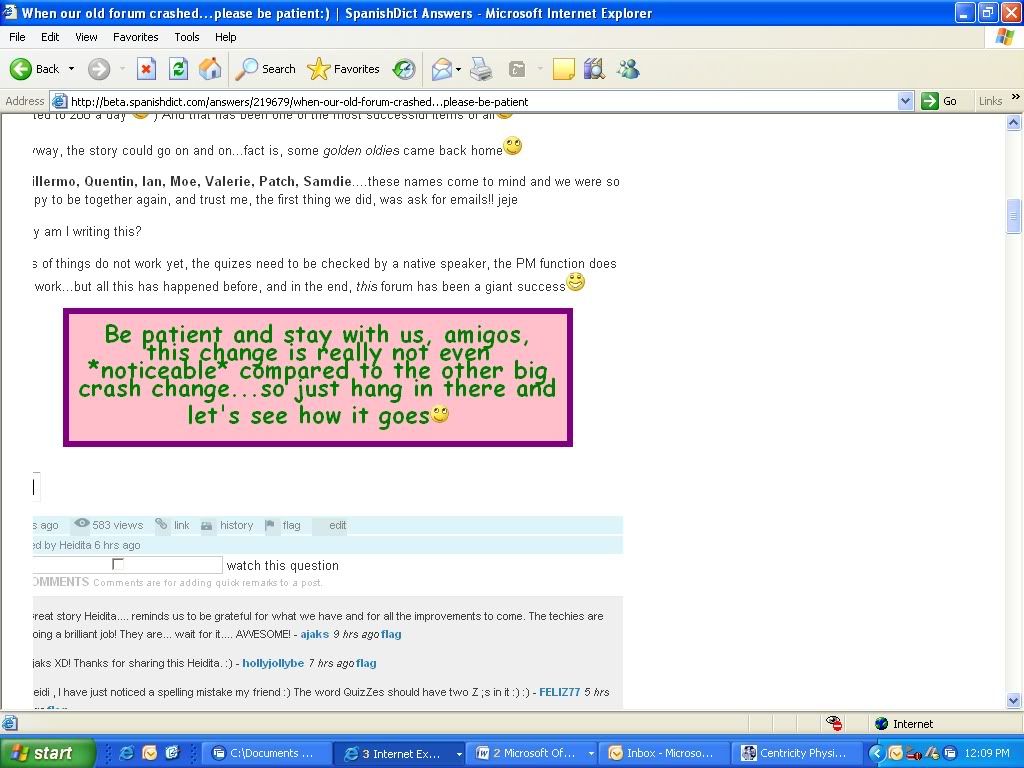
It cuts off a portion of the left screen split down the middle of the avatars, and cuts off part of the words on all of the answers (maybe only the first 3 letters of each line, but enough to hinder understanding).
I recognize that there probably is not a huge number of people who are forced to use ancient systems at times (I have accessed this on 2 home systems and one satellite work site where it works fine, so I know it is system related), but if it is not too hard a fix it would be nice to fix- otherwise I will be much more limited in my ability to use this site during the portion of time I am at this computer.
An attempt to post a screen shot example of what I am looking at (if this works it will be first for me):
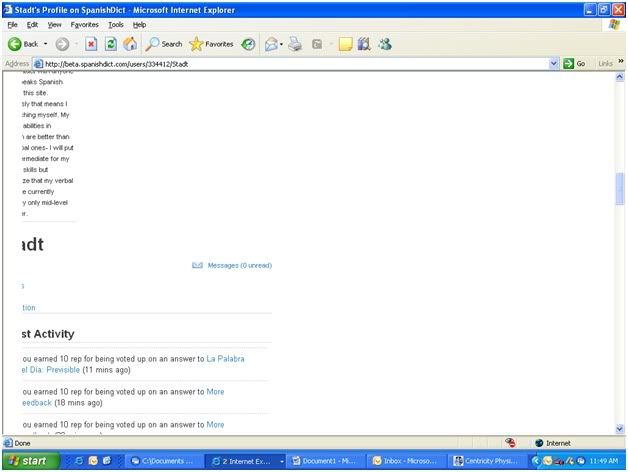
Since that worked, I will try another:
The avatar icons for the members asking the question in the Q&A section are still much too small. You can hardly tell who is who. I find those icons very useful, to allow me to select whose questions I'll check first.
In the old layout, the avatars of the different members (both asking and answering the questions) had the reputation information next to them: total number of rep points, number of badges, and learning points.
I find it useful to know whether the persons asking and answering are new or experienced members, at least. However, this information is missing from the new layout.
Edit: I just noticed that now you get the information when you do a mouseover over the icons. Not has handy, perhaps, but it works. I withdraw my comment.
Finally, I will continue to plead for the return of the emoticons box in the Answers text editor.
Thank you.
Edits by a different member can only be seen in a small note (very small, so small we only just noticed) below the post, the avatar of the editor does not show.
Edited by Heidita 22 hrs ago
Very confusing, I always edit and correct my threads like this, now it is very difficult to see that the post has been corrected, as the bolding could have been done by the posters themselves.
When I go to my main profile page, then to the questions answered at the way bottom using the more tab that follows the 2 answers listed- in the original version the page it takes me to has my most recent answers and indicates when last updated by anyone.
Then if I press the my answers button, I go to a similar page, but it tells me instead when it was last answered by me.
In the new version the more button takes me to a blank page, and I must go to the my answers tab to even see the answers, which again list when it was last answered by me, and there is no way to see when the threads that I have answered were last updated.
When waiting for corrections (and many other times), it is very convenient to be able to tell if there has been any activity on a thread you have answered at a simple glance, and not have to check each thread individually to see if there has been activity.
I'm looking at Spanish Grammar and I especially like the immediate feedback given on the Spanish grammar quiz on descriptive adjectives. Are the learning videos still here? I could not find them. Thanks.
I'd like to thank the team for the changes. These is still one thing that irritates my eyes and that's the lighter blue font at Q&A section.
I tried to do a flashcard set again. Now, I can see my name below, so I know if I have done it before or not. Thank you.
However, when I finished the set, it again asked me to "Log in to record my point", and as you can see I am logged in.
I did a set on the old SD with no problems.
Thank you for working so hard for us.
It's looking good.
I noticed that when I click on más under Preguntas contestadas that it is an empty page. When I click on más under Preguntas hechas it is normal.
Thank you for the improvements that have been made.
I just did a flashcard set and I am logged in and when I finished it said, "Log in to record your points".
It used to show if you had done a flashcard set before. The top 8 scores were shown along with your score at the bottom (or your score was zero if you had not done the set). Now you can't tell if you have done a set until after you do it by looking to see how many points you get.
I can see the flashcard leaderboards now. Thank you.
I was able to send a PM yesterday Thanks.

















