
How to Turn Off Your Adblock
SpanishDictionary.com is supported by ads, which makes it completely free for all of our users. Without these ads, we would be unable to run our site. When users have adblock turned on for our site, our financial capability to add content and features requested by our users is impacted significantly.
In this article, we’ll show you how to turn off your adblock, which in turn will ensure that SpanishDictionary.com can continue bringing you more content that will help you learn Spanish.
It takes just 20 seconds to turn off adblock! Easy, right?
If you are using either one of the two adblock extensions for Chrome (AdBlock and Adblock Plus), here are instructions for turning them off on SpanishDictionary.com. Don’t worry though, you’ll still be able to keep adblock on for other websites if you prefer.
AdBlock
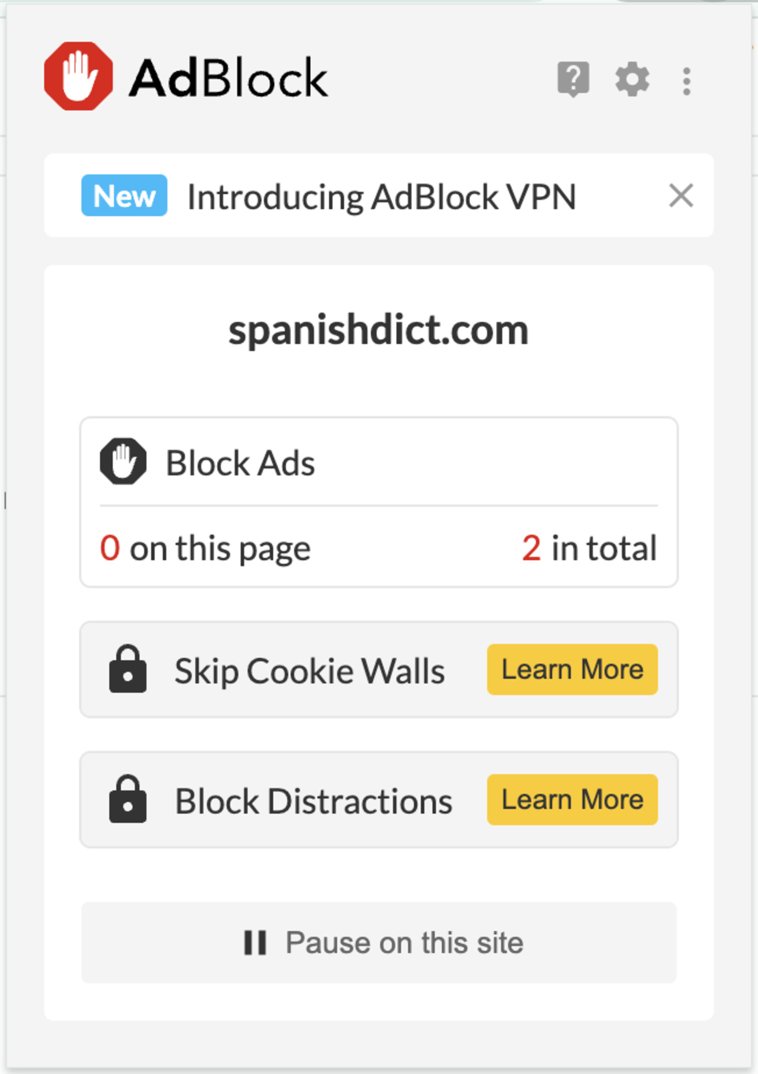
- Click on the AdBlock icon on the toolbar in your browser window.
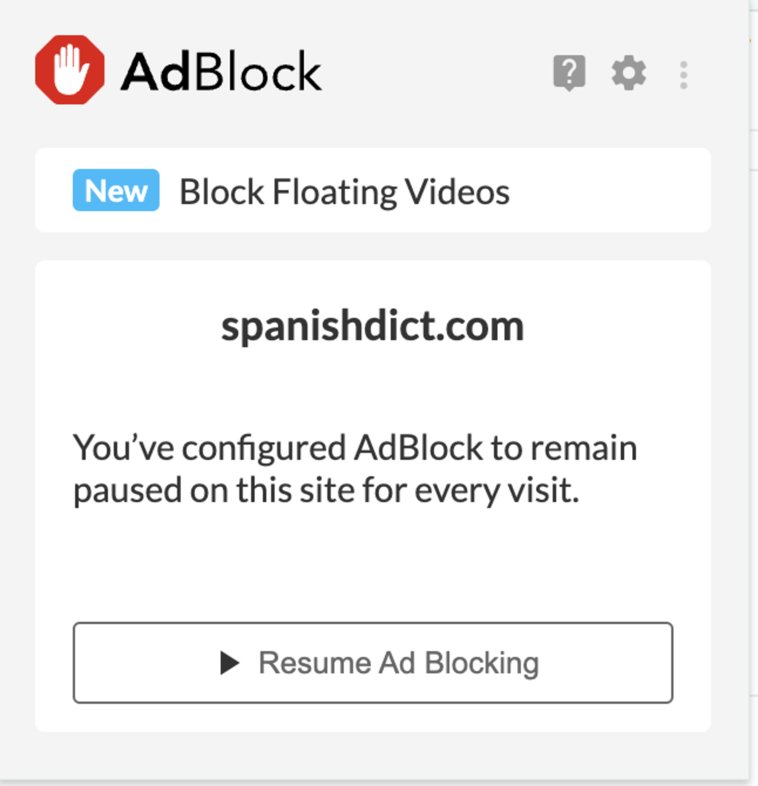
- Click on “Pause on this site.”
- Refresh the page.
Before Allowing Ads
After Allowing Ads
Adblock Plus
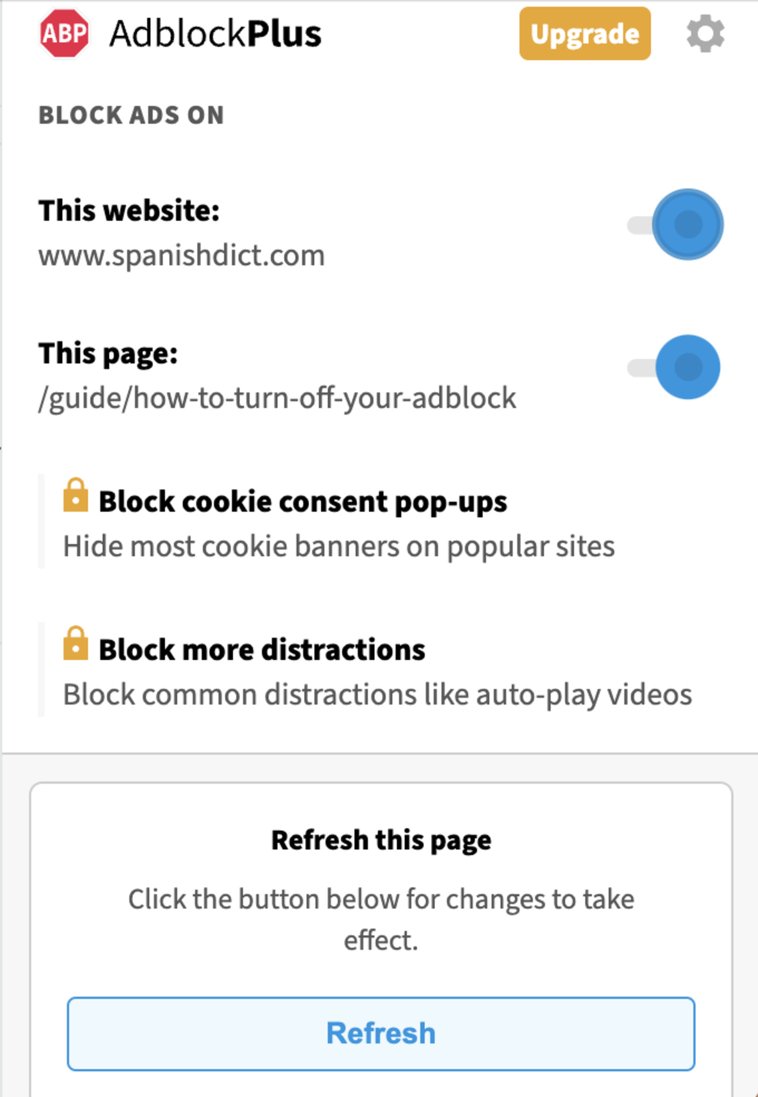
- Click on the Adblock Plus icon on the toolbar in your browser window.
- Move the blue circle on the slider that appear next to the "This website" text from the right to the left. (The slider button will turn gray once you have turned off Adblock Plus for SpanishDictionary.com.)
- Refresh the page.
Before Allowing Ads
After Allowing Ads

That’s it! Now we can continue to provide the resources that you need to continue learning Spanish, such as our comprehensive Spanish-English dictionary, verb conjugations, our Language Guide, and our three free translators.
Learn all about Spanish grammar with these articles!

















